Skip to content
Shellbay

SSH client for iPad, iPhone and Mac

A fast, fair-priced SSH client.

No AI credits, no surprises. Connect with keys you control, keep sessions usable when you switch apps, and pay once if you prefer.

Coming soon to the App Store

See pricing

Free for two hosts. Pro from $2.99 per month, or $39.99 once. For iPadOS and iOS 17 or later, macOS 14 or later.

Everything you need to work on a server

Native on every Apple device, built with SwiftUI, SwiftNIO SSH and the Keychain.

A real terminal

vim, tmux, htop and your shell behave the way they do on your desktop.

  • Full-colour xterm-256color terminal with mouse support, bracketed paste and 10,000 lines of scrollback
  • A key bar with Esc, Ctrl, Tab, arrows and more, plus full hardware-keyboard support
  • Snippets for the commands you type every day
  • tmux-friendly: reconnect and re-attach with one tap
  • Clickable links, always confirmed before they open
Keys you control

Your private keys stay on your device, behind Face ID, Touch ID or your passcode.

  • Create Ed25519 and ECDSA keys on your device, or import OpenSSH and PEM keys
  • Private keys live in the Keychain and need Face ID, Touch ID or your passcode to use
  • Secure Enclave keys that can never leave the device
  • Host keys are verified on first connection, and a changed host key is always blocked

Server workflows

25 guided setup recipes for Ubuntu, Debian, Rocky, Alma, Fedora and Alpine.

  • Nginx, a firewall baseline, swap, Certbot and more
  • A step-by-step guide collects everything up front and checks your server before changing anything
  • See the exact script before it runs, then follow live progress with each step's output
  • Runs keep going on the server if you switch apps, and you can check back later
  • Duplicate a workflow and edit it into your own
Browse all 25 workflows

Made for iPad, iPhone and Mac

One purchase covers every device signed in to your Apple Account.

  • Session tabs on every device, and split view with two sessions side by side on iPad
  • Session tabs, keyboard shortcuts and menus on Mac
  • Shortcuts actions: connect to a host, or run a snippet on a host
  • A built-in Local Demo Shell to try everything without a server

Buy Pro once and it works on every device signed in to your Apple Account.

iPhone

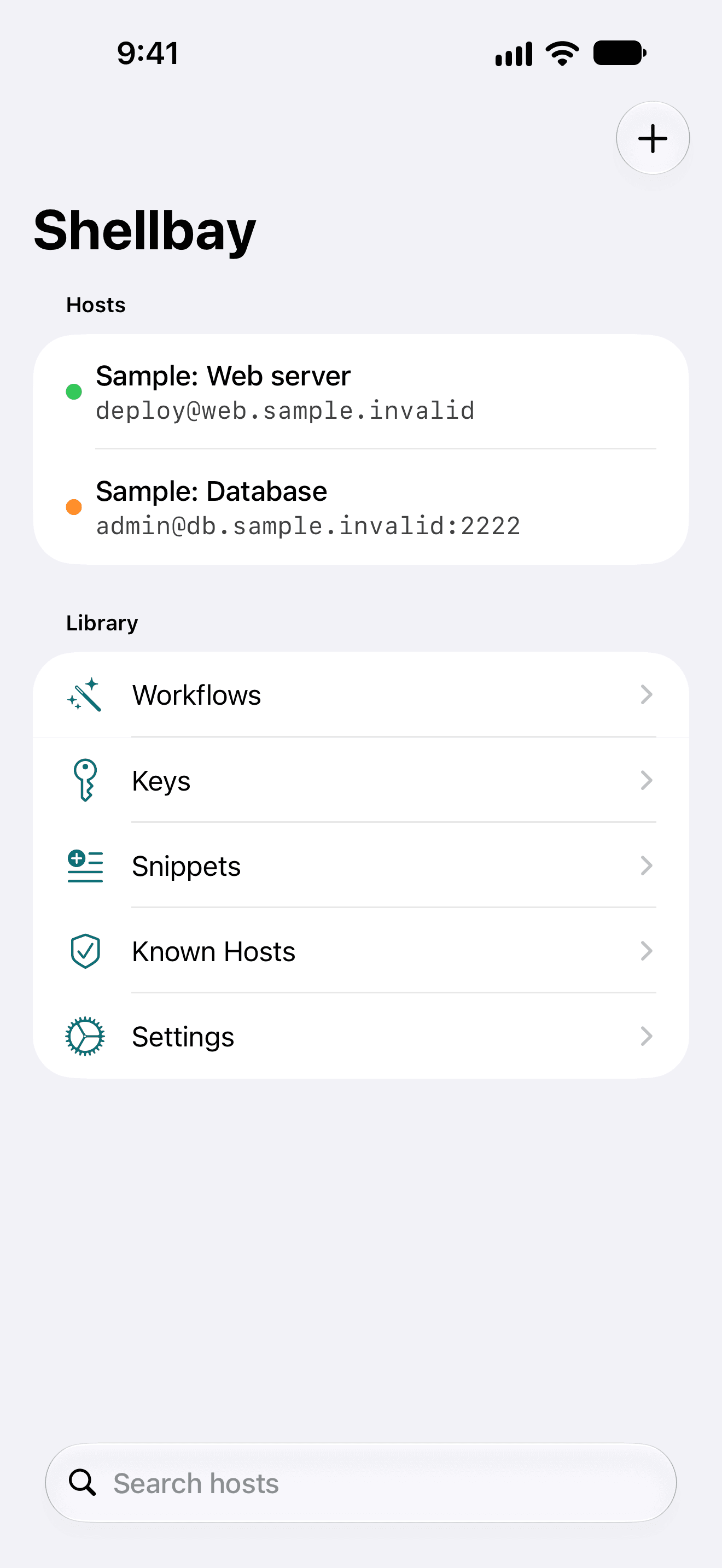
  • Shellbay on iPhone: a list of two saved hosts, a web server and a database, above Workflows, Keys, Snippets, Known Hosts and Settings.
    Your hosts and library
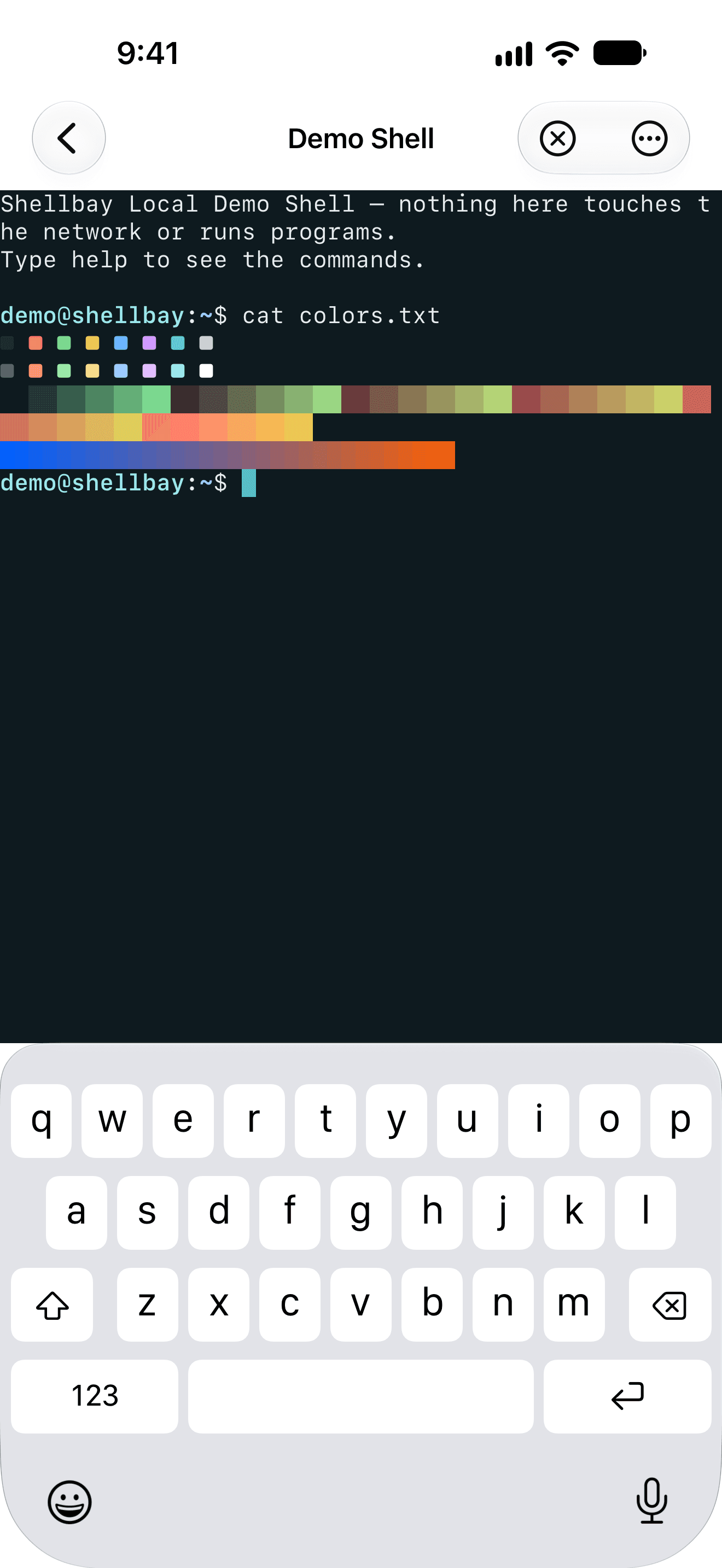
  • Shellbay's Local Demo Shell on iPhone printing a 256-colour test pattern, with the on-screen keyboard open.
    A full-colour terminal
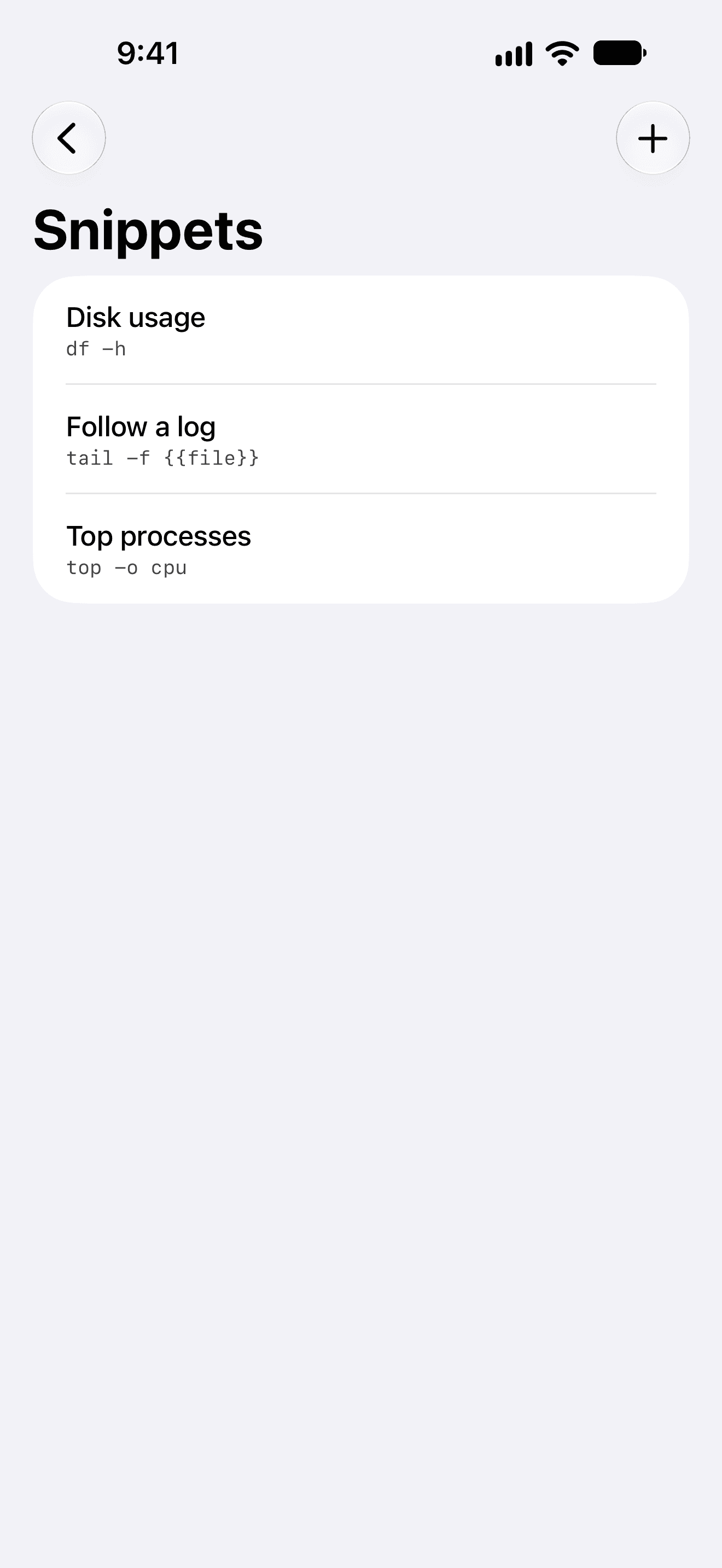
  • The Snippets screen on iPhone listing Disk usage, Follow a log and Top processes.
    Snippets for everyday commands
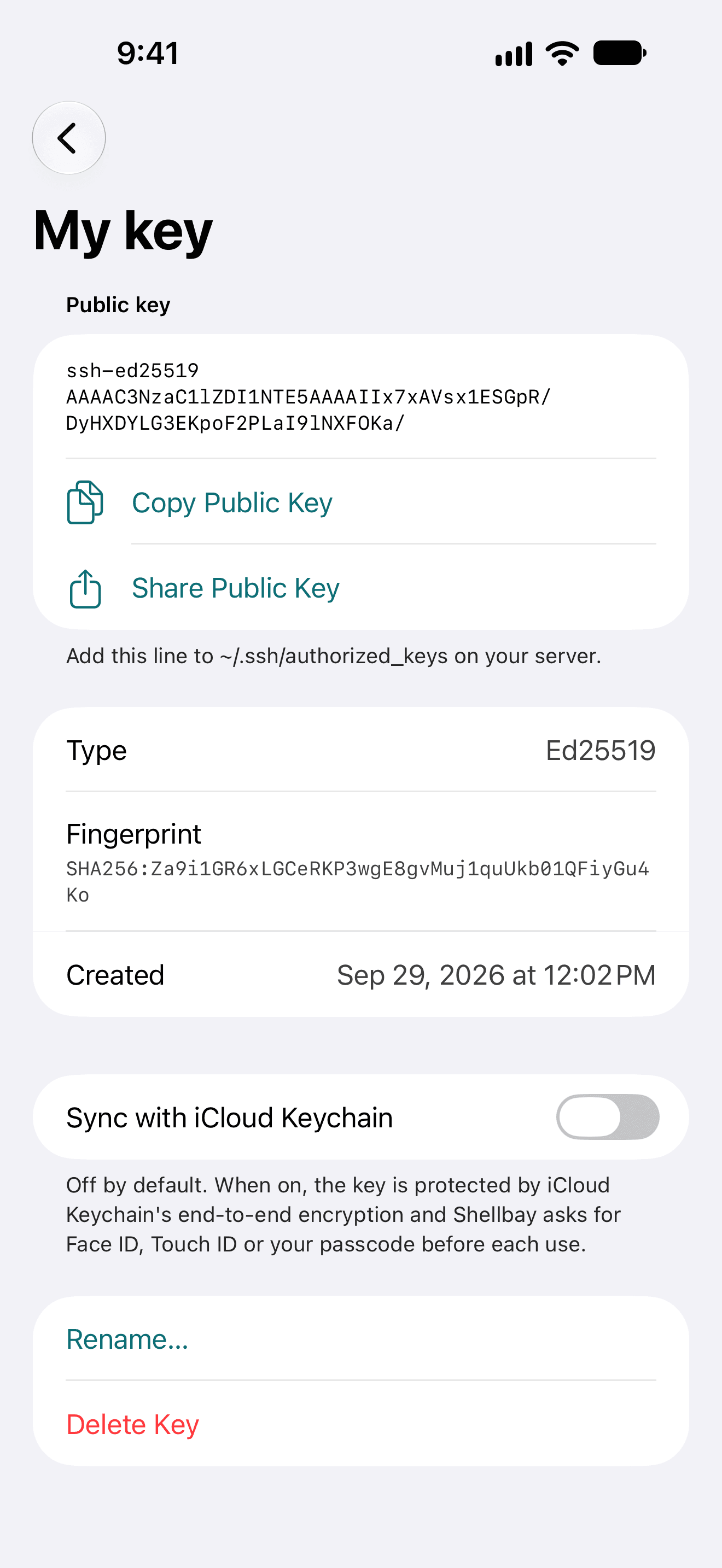
  • An Ed25519 key on iPhone with its public key, fingerprint, copy and share buttons, and iCloud Keychain sync turned off.
    Keys that stay on your device

iPad

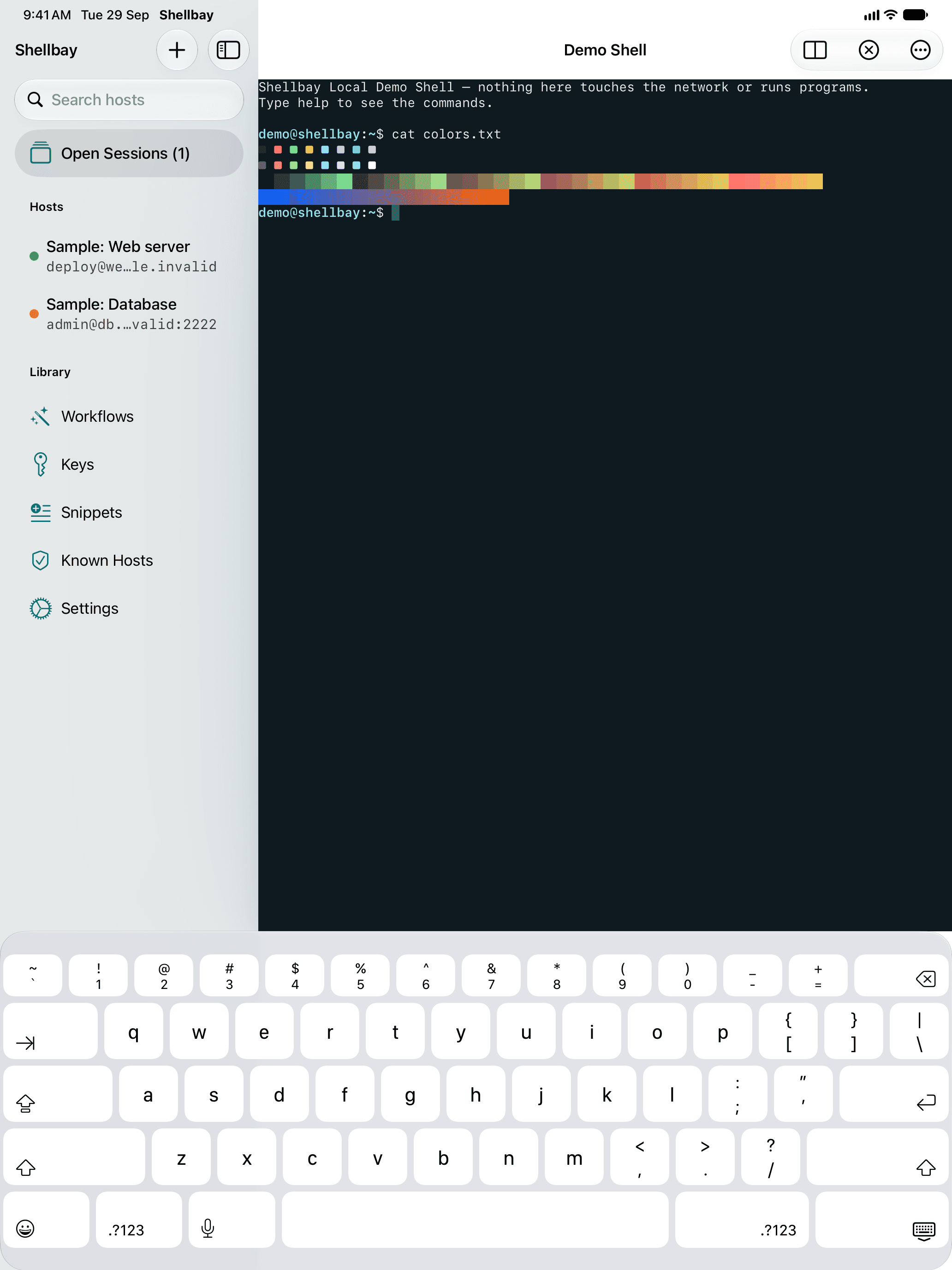
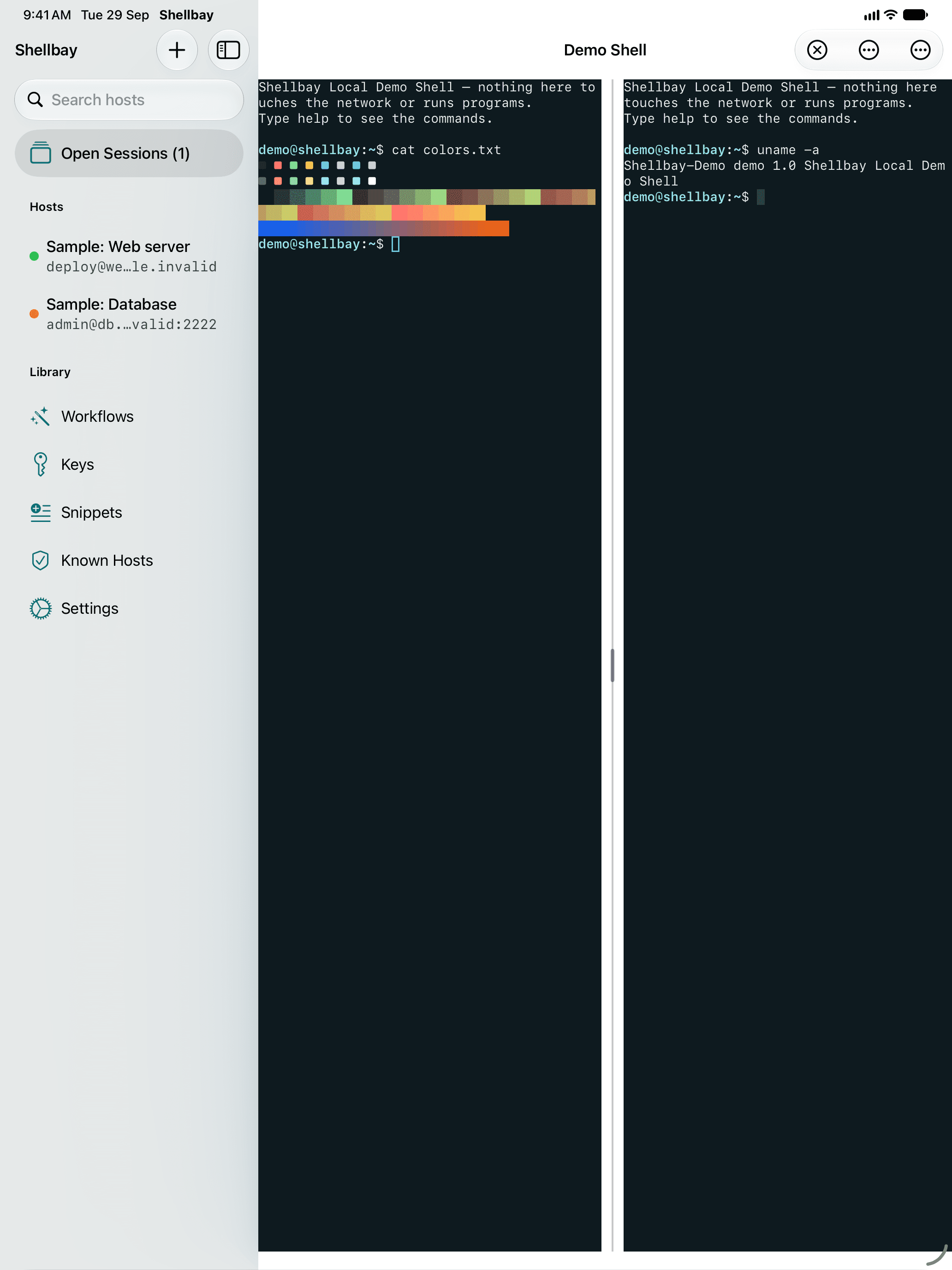
  • Shellbay on iPad: the host sidebar next to the Local Demo Shell showing a colour test pattern.
    Sidebar and terminal
  • Shellbay on iPad in split view, with two terminal sessions side by side.
    Two sessions side by side

Mac

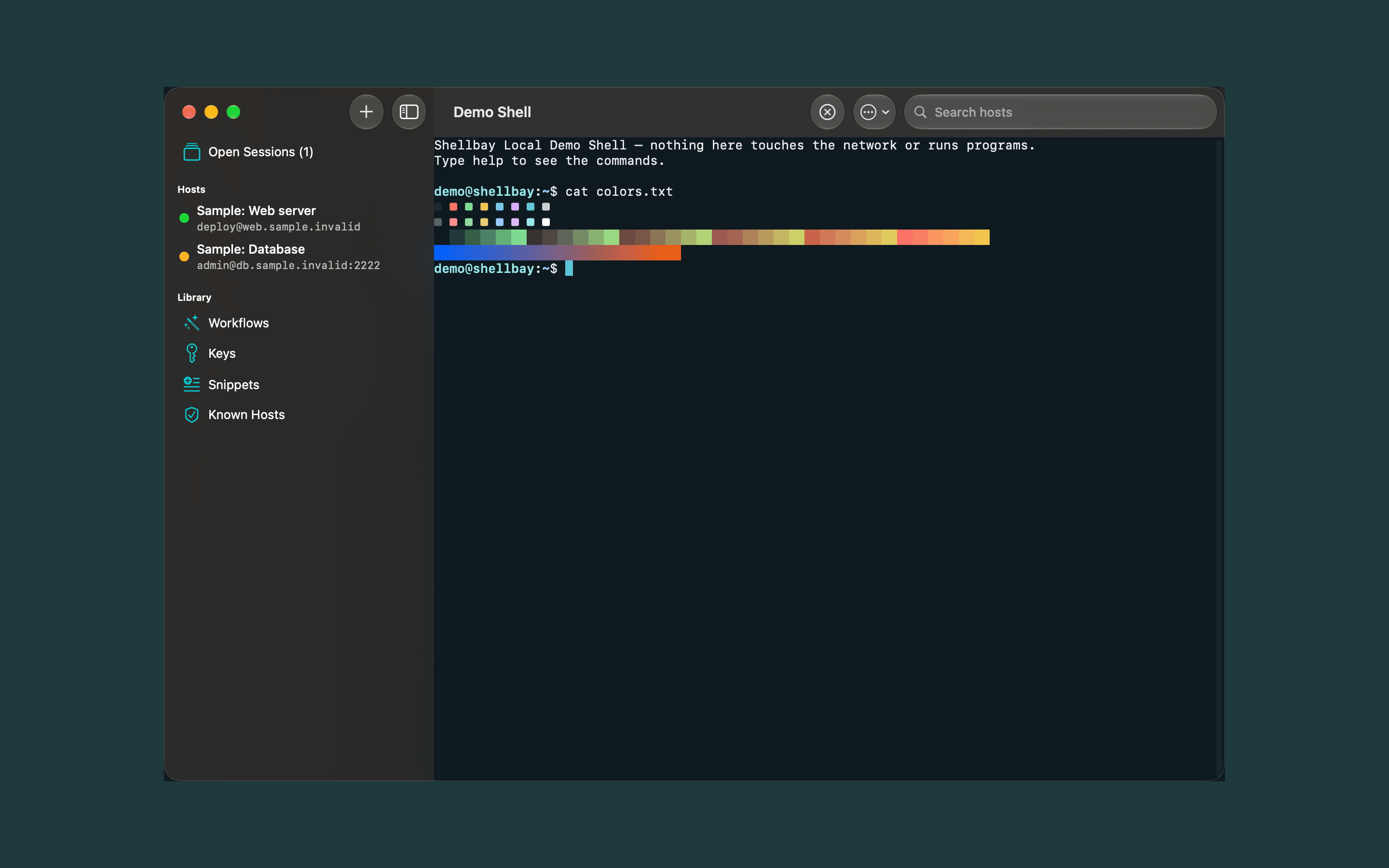
  • Shellbay on Mac in dark mode: the host sidebar and a terminal session in one window.
    A native Mac app

Free to start. Fair to keep.

The free version is a complete SSH client for two hosts and five snippets. Shellbay Pro unlocks everything else, on all your devices signed in to the same Apple Account.

  • Pro Monthly

    $2.99per month

    All Pro features, billed monthly.

    7-day free trial

  • Pro Yearly

    $19.99per year

    All Pro features, billed yearly.

    7-day free trial

  • Pro Lifetime

    $39.99one time

    Unlock every Shellbay Pro feature forever.

    Pay once, keep it forever

What Shellbay Free and Shellbay Pro include
FeatureFreePro
Saved hosts2Unlimited
Full terminal, password and key sign-in, host key verificationIncludedIncluded
Key generation, including Secure Enclave keysIncludedIncluded
Snippets5Unlimited, with variables
Reconnect with one-tap tmux attachIncludedIncluded
Shortcuts actions and the Local Demo ShellIncludedIncluded
Browse all 25 workflows and read every scriptIncludedIncluded
Run workflows, and create your ownNot includedIncluded
SFTP file browserNot includedIncluded
Local and remote port forwardingNot includedIncluded
iCloud sync of hosts, snippets, known hosts and workflowsNot includedIncluded
Split view with two sessions on iPadNot includedIncluded
All themes and fontsNot includedIncluded
Automatic tmux sessionsNot includedIncluded

Prices are in US dollars. The App Store shows the price in your currency.

Subscriptions renew automatically unless cancelled at least 24 hours before the end of the current period. Payment is charged to your Apple Account. Manage or cancel them in your App Store account settings. The free trial is for eligible new subscribers. See the Terms of Use.

Private by design

Shellbay doesn't collect any data. It talks only to the servers you add.

Read the privacy policy
No account
Nothing to sign up for, nothing to sign in to.
No analytics
No analytics, advertising or tracking code of any kind.
Keys stay put
Passwords and private keys never leave your device unless you turn on iCloud Keychain sync for a key.
Your iCloud, not ours
Optional sync uses your private iCloud database. We never see it.

Try it without a server

Shellbay includes a Local Demo Shell that runs entirely inside the app, so you can try the terminal, key bar and snippets before adding a host.

Coming soon to the App Store

Questions first? Visit support.